🥳 Free in Belgium | Ships to EU & UK 🥳 🎄✨ 2025 Holiday Sale ✨🎄

How to disassemble the Keychron K8 Pro

Step 1: Pull out the keycaps where the screws installed and remove the screws. (As the picture shown)


Step 2: Then you will be able to take out the top part of the keyboard and next, unplug the battery cable and daughter PCB cable. 


Step 3: Take out the silicone bottom pad. 


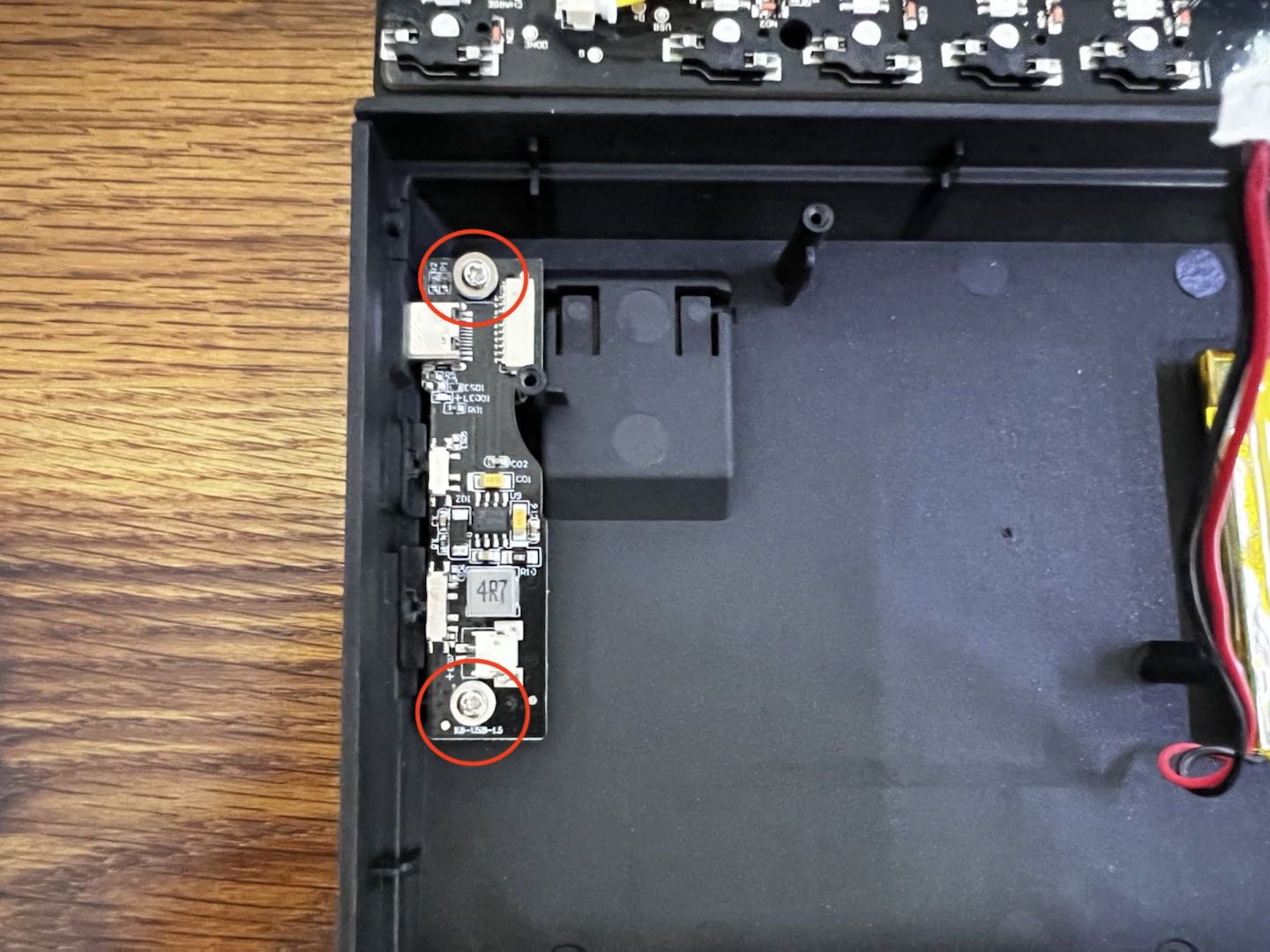
Step 4: Unscrew the screws on the daughter PCB.
--color-scheme-4-bg: 238 238 238 / 1.0; --color-scheme-4-grad: ; --color-scheme-4-heading: 51 51 51; --color-scheme-4-text: 51 51 51; --color-scheme-4-btn-bg: 51 51 51; --color-scheme-4-btn-text: 255 255 255; --color-scheme-4-btn-bg-hover: 90 90 90;